 Spacetime Ledger
Your balance ten years out, on today's screen.
A household ledger that joins your past records and your plans into one line. See your balance ten years from now, or the day your loan is paid off, on the same screen you use today. You know what it takes to keep living the way you do.
Download on the App Store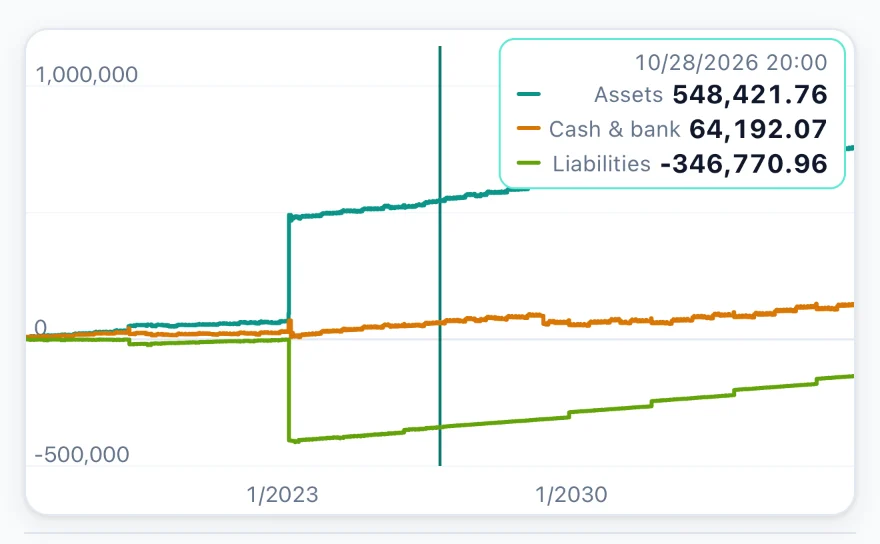
Balances ahead
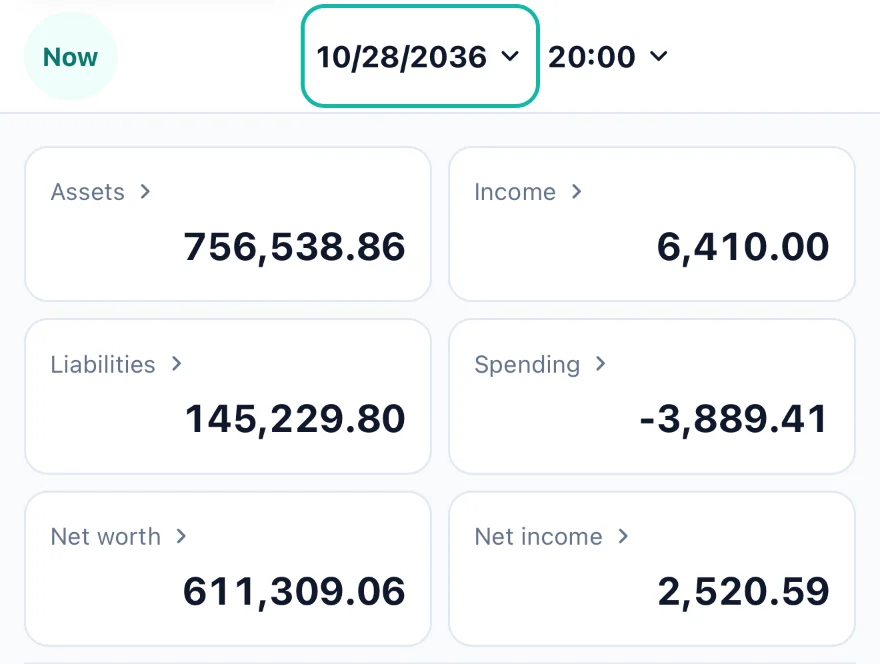
See ten years ahead the way you see today
Move the date at the top of the screen, and Home — assets, liabilities, net worth — and the Timeline all switch to that moment. Today is treated as just another day, so looking back ten years and looking ahead to the day your loan is paid off work the same way. Money on a fixed cycle, like rent or salary, is recorded once and laid out ahead (a repeat).
Big purchases
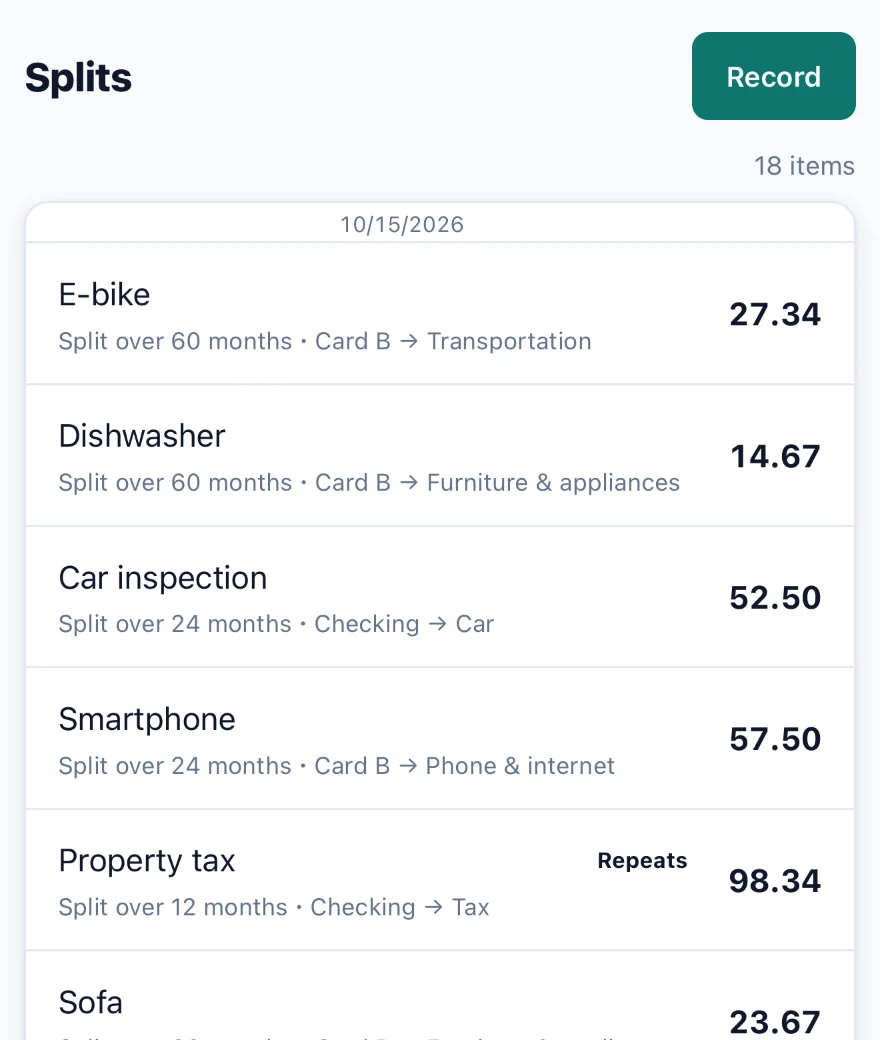
Homes, appliances and annual bills, spread over the months you use them
Things you use for years, like a home, a car or appliances, and annual bills like insurance and taxes, can be spread across months (a split). Spending doesn't spike in the month you pay, and what hasn't been spread yet stays in your assets. If you sell or let go of something early, you can end it on that day.
Record
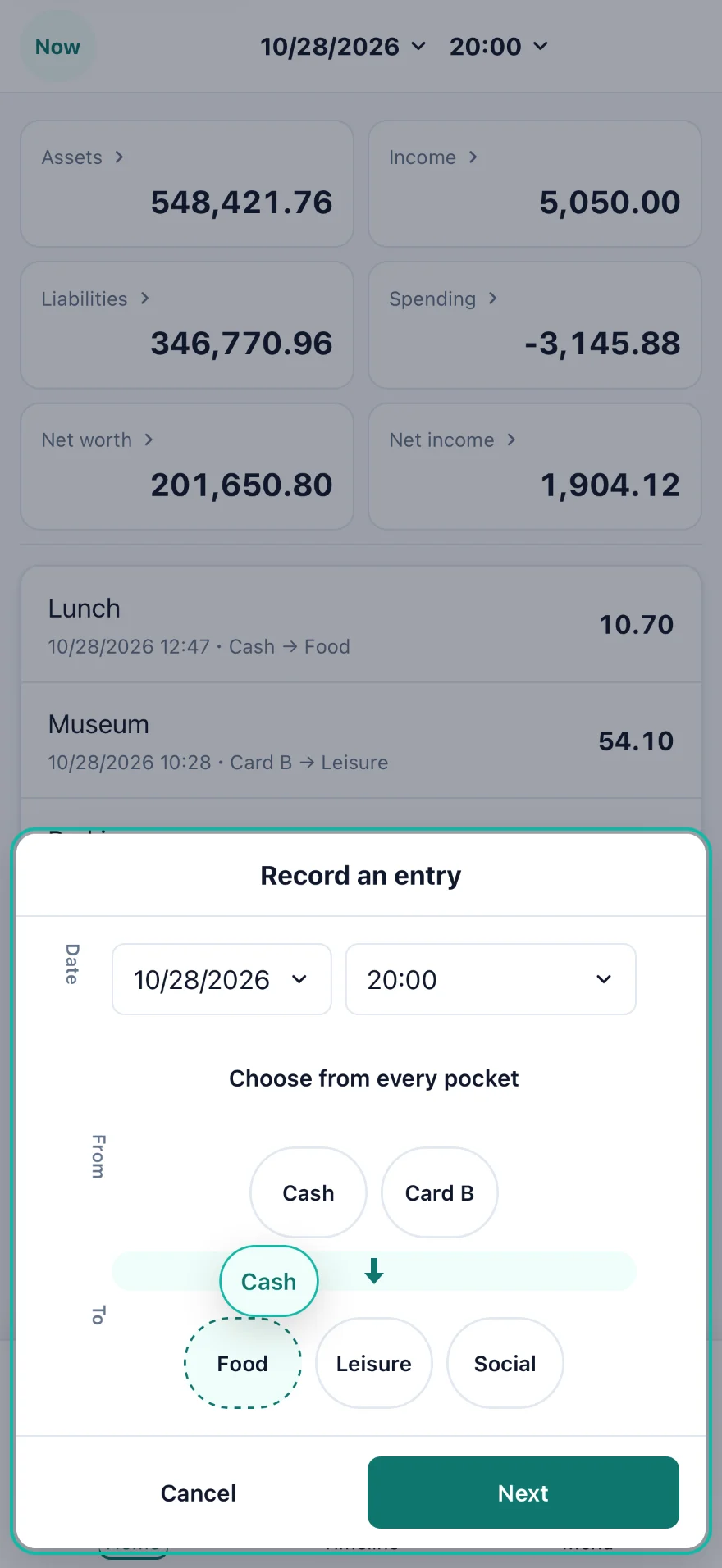
Just pick a source and a destination
When money moves, choose where it came from and where it went (source → destination), then enter the amount. From a button on Home, just drag a source chip onto a destination chip. The buttons can be set to the pairs you use most.
Your data
No account. Your data stays on your phone.
There is no sign-up and no bank connection. Records are stored only on this device and are never sent anywhere. Export everything as JSON to move to another device or to keep a copy. No ads.
Getting started
Record in three steps
- Tap a button on Home (Income / Expense / Transfer at first).
- Pick a source and a destination, then enter a name and an amount.
- The movement you recorded (an arrow) shows up on Home and the Timeline right away.
Support
- Contact: [email protected]
- Privacy Policy
- Backup: export JSON from the menu. A copy (Spacetime Ledger.json) is also kept in On My iPhone in the Files app.